Commission Report Summary
To check the total you have claimed for a quarter, or YTD etc, you can run a 'Commission Claimed' report in VTO
Go to Reports > Reports Dashboard
Click on Commission > Commission Splits
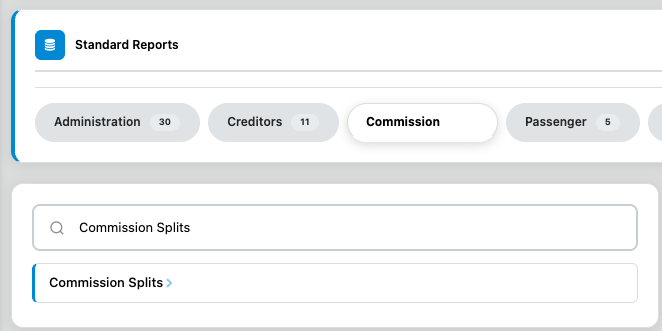
Enter the dates you want the report for and click View Report (this will show you the gross commission generated, and nett commission paid into your account)
Related Articles
Claiming Commission & Commission Payments
Commission Claims are processed on the last business day of the month and must be submitted by 2pm (Perth Time). Booking Forms are guaranteed if received before 2pm the day prior to EOM. Booking forms sent through on the last business day of the ...Missing Commission | Commission not apppearing
What to do when the commission for a line/sector isn't appearing in your list of available commissions ready to claim.... If the commission for a line/sector is not available for you to see or tick in your commission claim then there is something ...Travel Insurance (Commission)
Travel Insurance Once you have completed your mandatory training you will have access to issue policies on the account or credit card. Please wait until funds have cleared before your issue any policies on the account. After you have issued the ...GST / BAS Report
If you are registered for GST and need to submit Business Activity Statements, you can run a report to see your split of GST payable in VTO by going: REPORTS > GENERATE REPORT > TYPE 'GST SPLIT' > SELECT YOUR BRANCH > CHOOSE THE REQUIRED DATES > ...Supplier Commission - VTO
If you are expecting commission back from a supplier please set up a line in VTO for the money to come back in. It is best to do this when you make the booking that will result in the supplier sending commission back The easiest way to do this is to ...